 Claude Duet
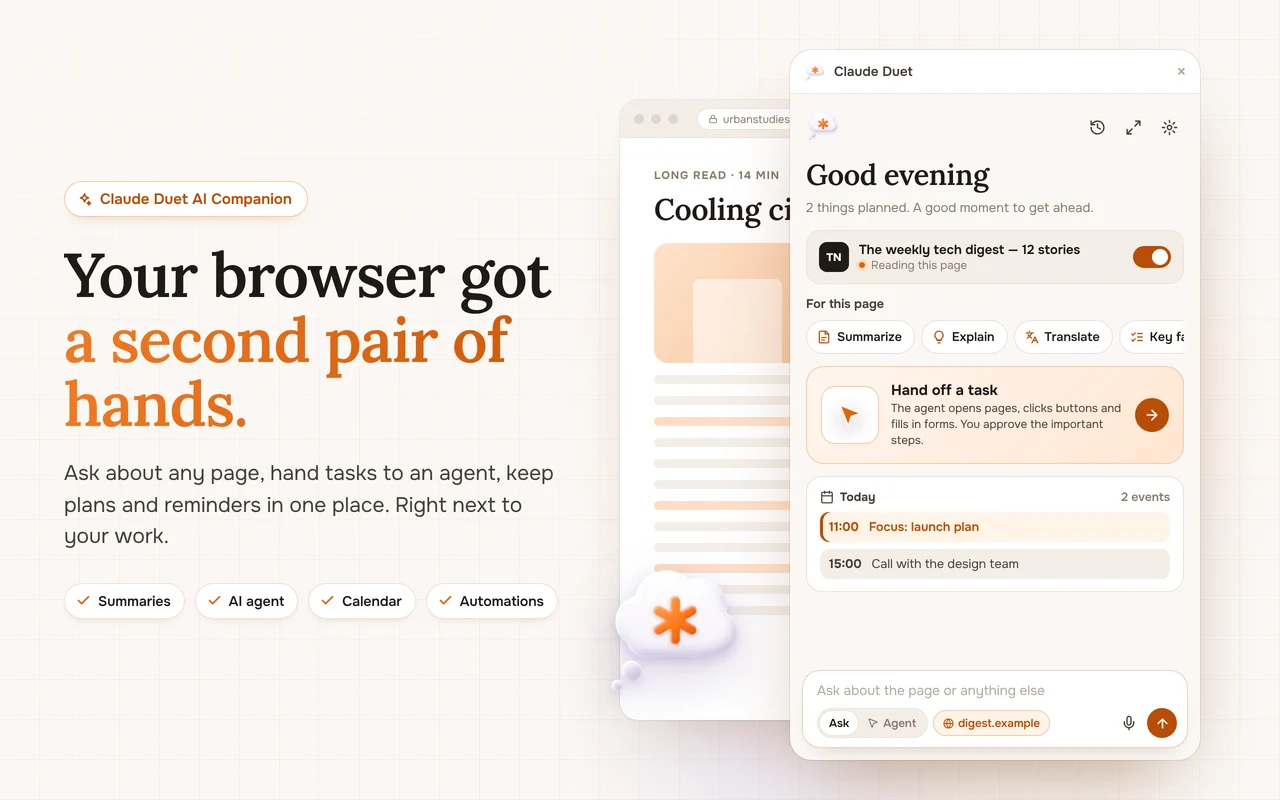
Your browser got a second pair of hands.
A personal AI assistant and agent in the Chrome side panel. Summarize any page, ask about it, translate, write, plan your day and hand off tasks, right next to your work.
- Free to start
- Works on any site
- 10 languages
- Opens with Alt+A
 Claude Duet
One assistant for reading, writing, deciding and doing.
Claude Duet lives in the Chrome side panel, so it works with the page you are on instead of pulling you away from it.
AI Browser Agent
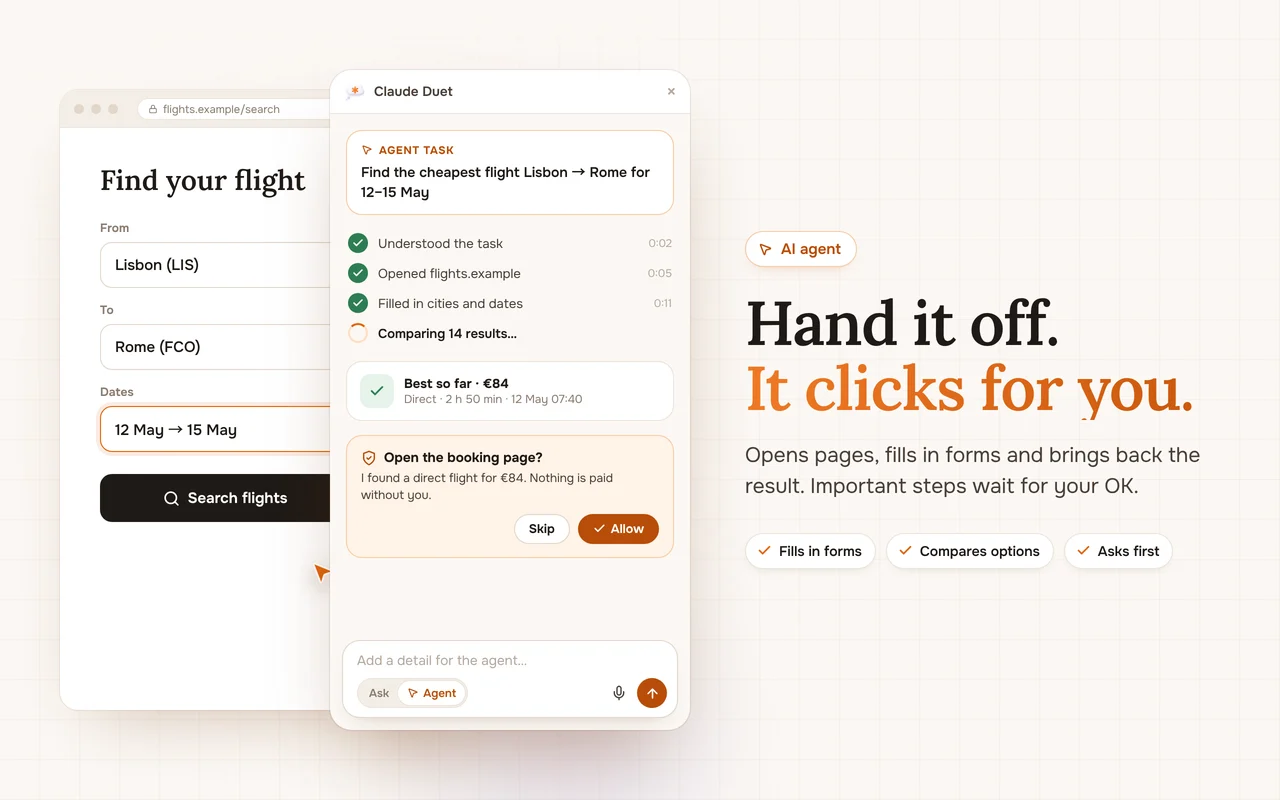
Hand off a task and the AI agent opens pages, fills in forms and compares options for you. Important steps always wait for your approval.
Page Summaries
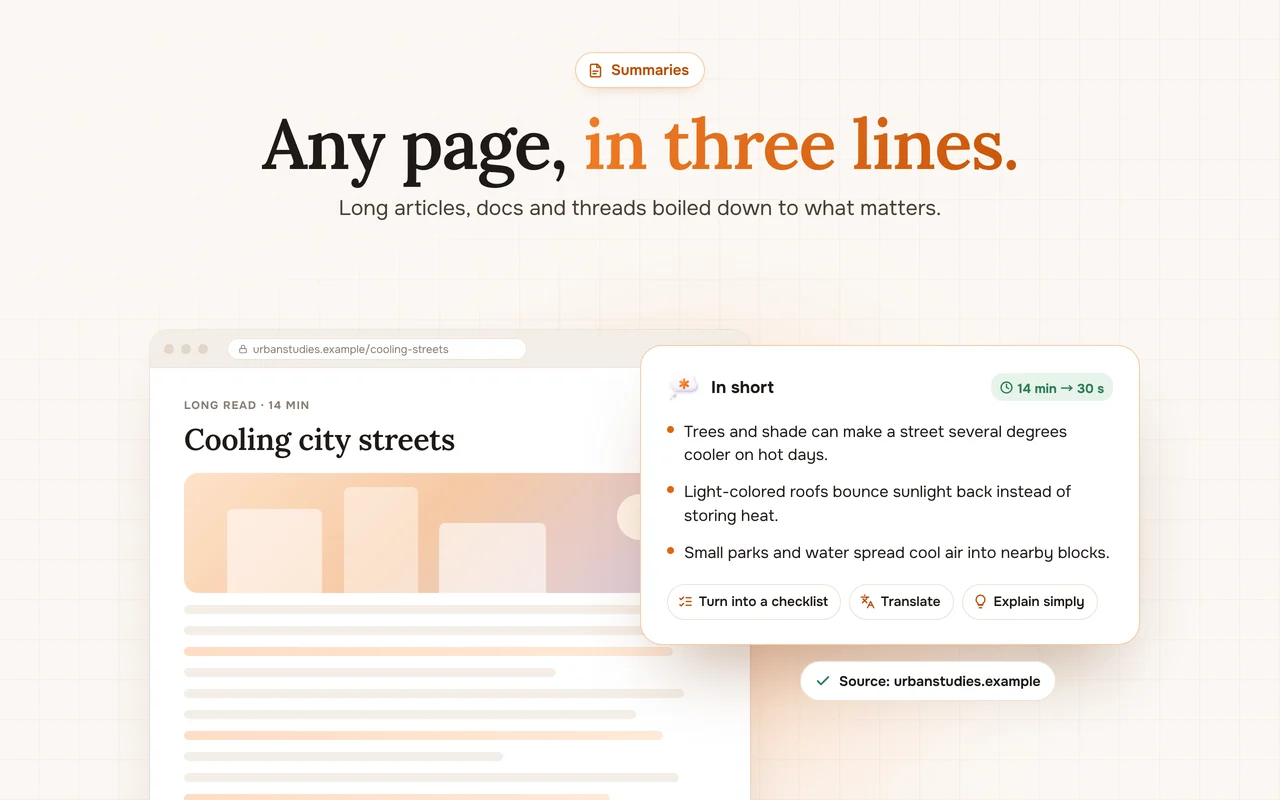
Summarize any article, doc or thread right in the Chrome side panel. Get the key points in three lines, with the source one click away.
Learn moreChat with Any Page
Ask questions about the page you are reading, compare details and get answers grounded in the page itself, without copy and paste.
Learn moreDeep Research
Ask a question and get a structured answer built from several sources, with each claim linked and confirmed or flagged as single-source.
Learn moreTranslate Pages and Text
Translate a whole page, a paragraph or a selection into your language, with tone preserved. Works in the Chrome side panel in 10 interface languages.
Learn moreBrowser Automations
Set up routines that run on a schedule: a morning brief, a price check, a weekly report. Results arrive as notifications in Chrome.
Learn moreCalendar and Reminders
Plan your day, block focus time and get reminders without leaving the page. The AI finds free slots and turns tasks into a schedule.
Learn moreAI Memory
Tell Claude Duet about your preferences, projects and tasks once. It remembers what matters so every answer starts with the right context.
Learn moreAI Writing Assistant
Draft emails, rewrite paragraphs, fix tone and shorten text right next to the page you are working on, in the Chrome side panel.
Learn moreThe page on the left, your assistant on the right.
Three steps and you are set.
Add to Chrome
Install from the Chrome Web Store and pin the cloud icon to the toolbar.
Open the panel
Click the icon or press Alt + A on any page.
Ask or hand it off
Summarize, ask a question, or switch to Agent and describe a task.
Whatever you do in the browser, it helps.
Students
Summarize long readings, get difficult topics explained simply, turn lectures into checklists and plan study sessions, right in Chrome.
See howMarketers
Research competitors, summarize reports, draft ad and email copy in your brand tone and watch competitor pages for changes, from the Chrome side panel.
See howSales Teams
Research a prospect's website in seconds, prepare call notes, draft follow-up emails and keep reminders for every deal, right in Chrome.
See howResearchers and Analysts
Compare sources, extract tables from pages, summarize papers and keep every claim linked to its source, in the Chrome side panel.
See howWriters and Creators
Outline posts, research topics, rewrite drafts in your own voice and translate content for new audiences, all from the Chrome side panel.
See howEveryday Productivity
Compare products, book trips, fill in forms, plan your day and remember what matters. A personal AI assistant that lives in your browser.
See howYou decide what it sees and what it does.
The page you are on goes to the AI only together with your request, and a clear switch turns that off. Important actions always wait for your approval, and your chats, memory and calendar stay in your browser profile.
- Page context has a clear on/off switch
- Payments, sign-ins and sending always ask first
- Delete chats and memory any time
I found a direct flight for €84. Nothing is paid without you.
Reading “Cooling city streets” only.
3 items · Edit or clear any time
Frequently asked questions
What is Claude Duet AI Companion?
Is it free?
How do I open it?
Which browsers are supported?
Does it read every page I visit?
Can the agent buy things or send messages without me?

Your browser, with a second pair of hands.
Free to start. Works on any site. Opens with Alt+A.